
glodesk: A Human-centered product design for lecture halls
A 3-month long product design process as part of a Segal Design Certificate sequence at Northwestern’s McCormick School of Engineering.
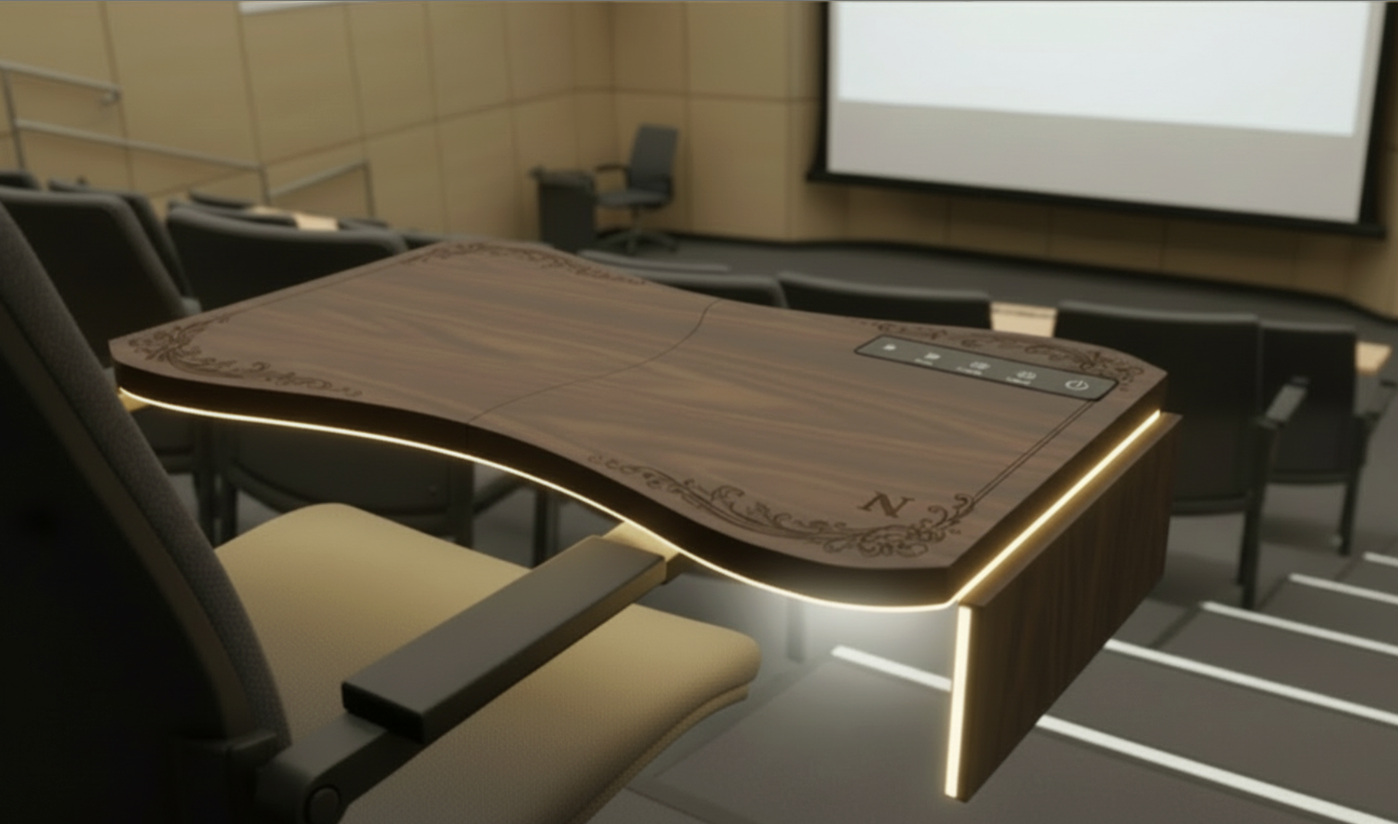
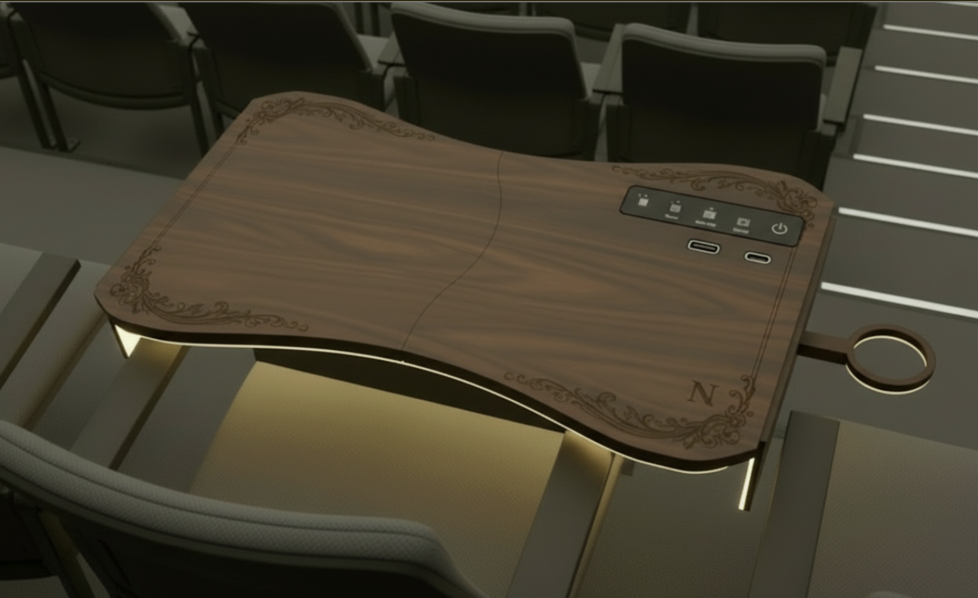
Glodesk is a speculative product concept developed by my team of five Northwestern undergraduates as part of Design Thinking & Doing (DSGN 208) seminar within the Segal Design Certificate sequence.
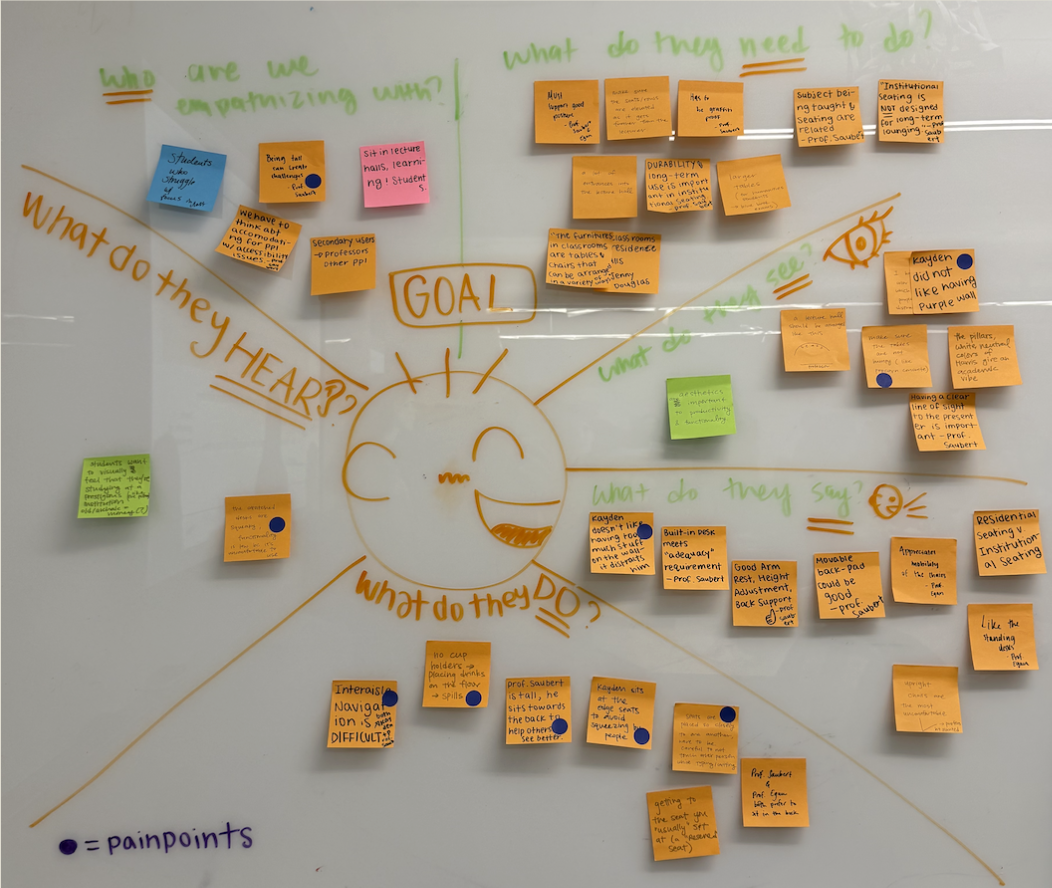
Based on a university-wide research of student’s biggest pain-points in the lecture halls, our team came up with a question which fundamentally guided our designing process:
How might we design flexible lecture hall seating arrangement that will increase motivation and engagement, heightening the learning experience of college students in long lecture classes?
With that, our primary purpose was to address a common but often overlooked issue in older lecture halls: rigid, uncomfortable desks that disrupt students’ focus, posture, and engagement.
Through user interviews, direct observation, and rapid prototyping, we identified key pain points and translated them into a carefully designed, human-centered product, which we proudly call, the "GloDesk"—an ergonomic, modular desk system that integrates adaptive lighting, flexible work surfaces, and intuitive storage to support diverse learning styles.
Seen on the right is a logo designed by me.
the Overview

Ideation process: from researching to prototyping to building a full mockup…
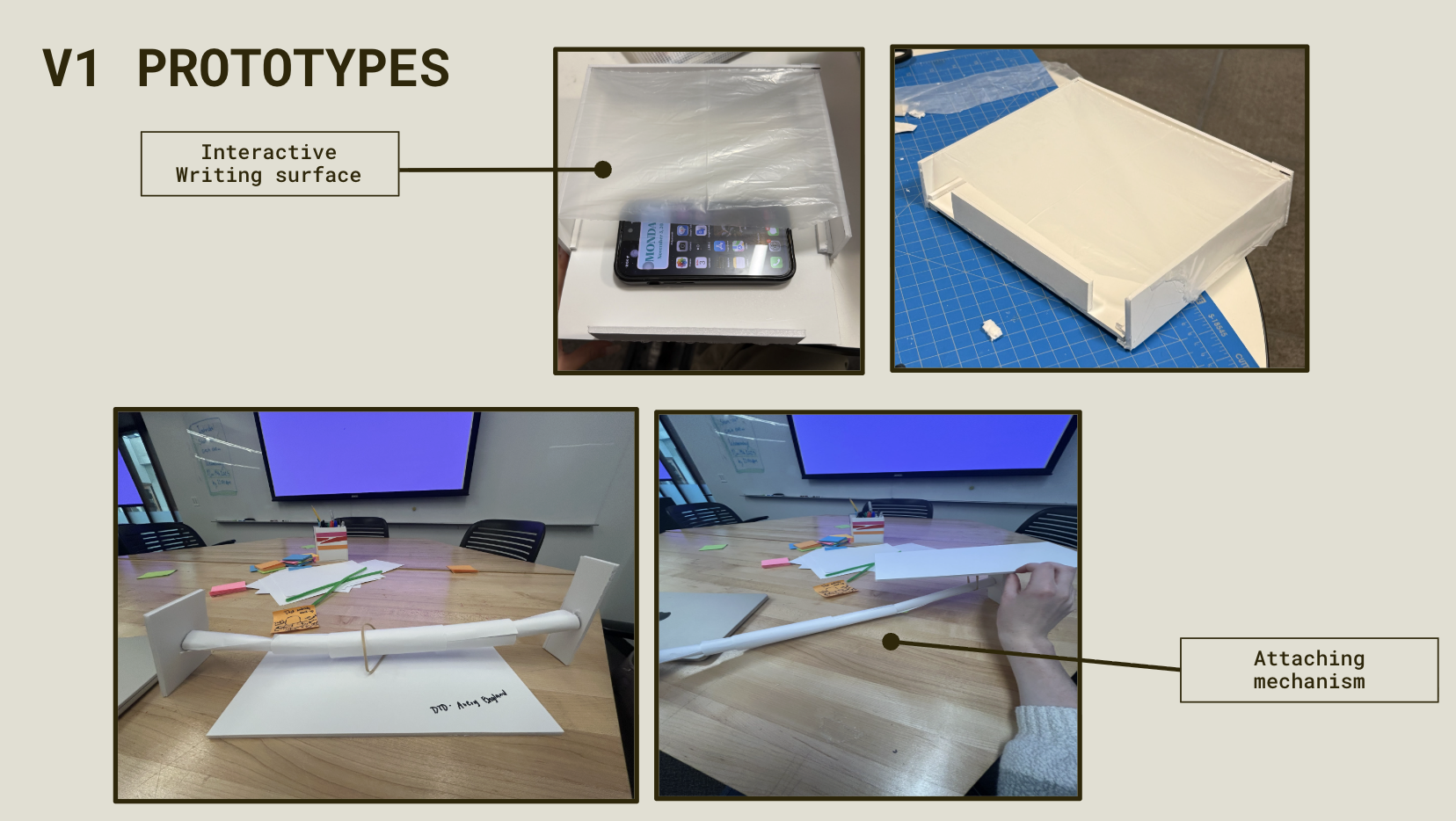
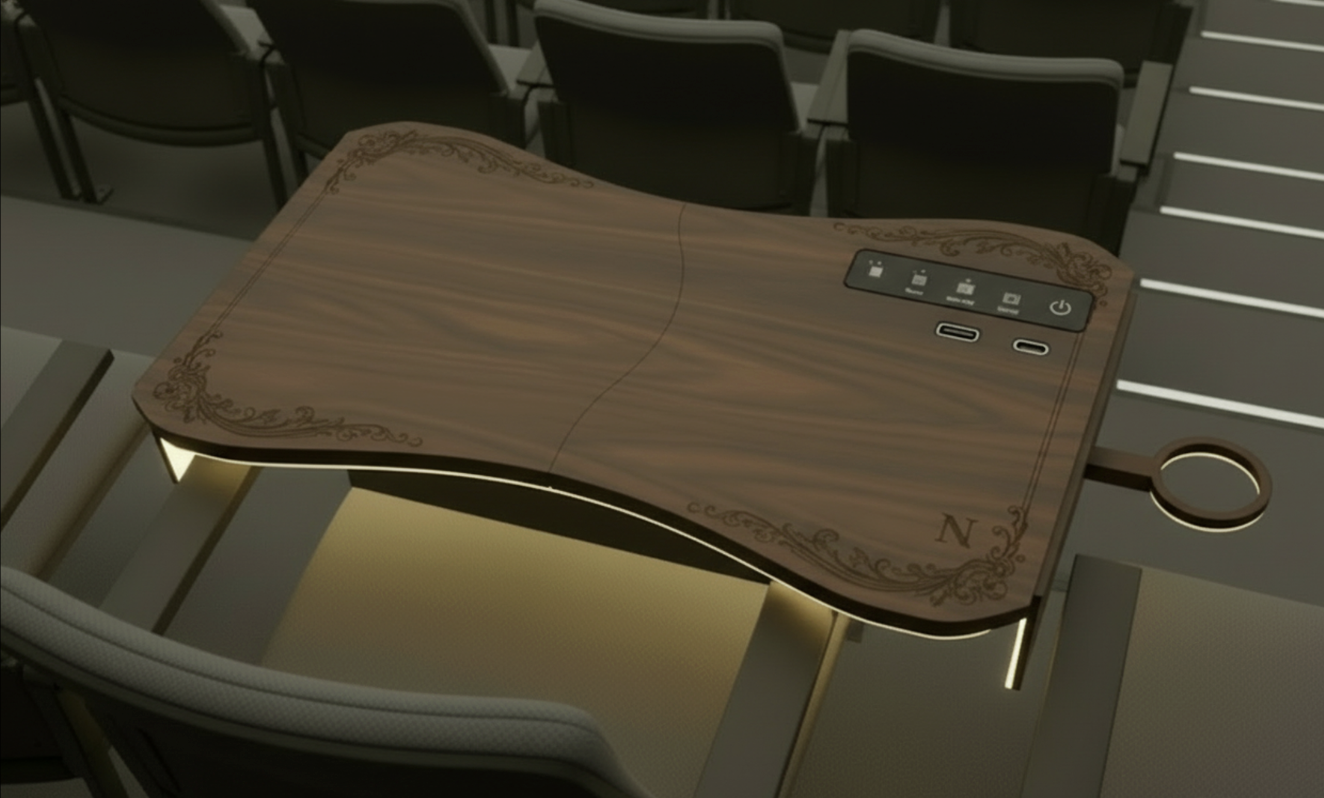
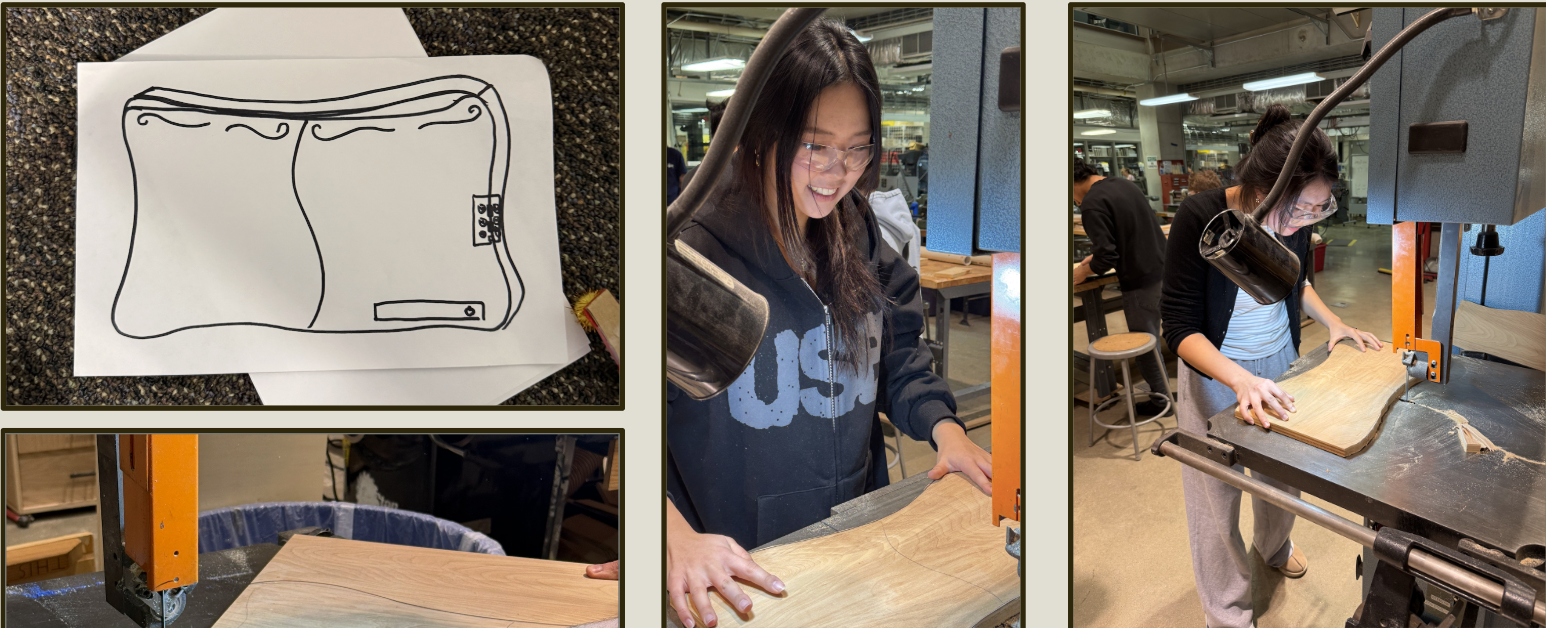
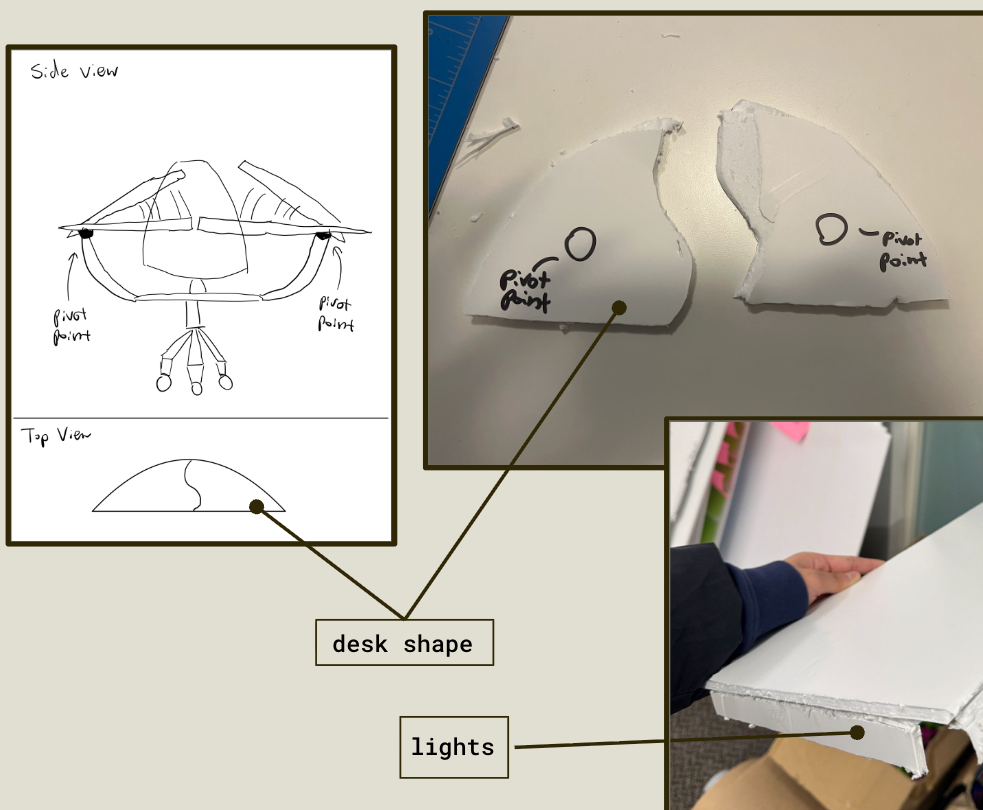
the mockup.
Using the AI visualization tool Vizcom, this video demonstrates our final concept and design rationale through a 360-degree view, showing how Glodesk would function within real lecture hall environments and how human-centered design can actively improve everyday academic experiences.
An In-app Experience: Interactive learning setting
To complement our 3D product prototype, our team designed a companion mobile application in Figma that enhances classroom engagement through interactive lighting controls and real-time participation features.
Our research revealed that many students wanted more opportunities for interaction and personalization within lecture environments. In response, we created an app that connects to the smart desk via Bluetooth, allowing students to customize ambient lighting, indicate participation, and engage more actively during class. Professors can simultaneously monitor classroom engagement and manage participation through a centralized interface.
Key Features:
Bluetooth Desk Pairing
Each student desk is assigned a unique identification number. Students and professors can connect their mobile device directly to a specific desk via Bluetooth, enabling personalized controls and real-time interaction with the physical workspace.
Adaptive Mood Lighting
Students can customize the color of the ambient desk lighting through an interactive color wheel. This feature allows users to create a learning environment that matches their preferences, whether for focus, comfort, or engagement. Lighting can also be turned off completely when desired.
Lighting Lock Mode
Once a color is selected, students can activate Lock Mode to maintain the same lighting setting throughout the lecture. This prevents accidental changes and creates a more consistent learning environment.
Engagement Mode (Digital Hand Raise)
Students can activate Engagement Mode to indicate they would like to participate in class. When enabled, the desk’s ambient light automatically changes color, creating a visible, non-disruptive signal for the instructor.
Real-Time Participation Queue
When multiple students activate Engagement Mode, professors can view a live queue of participation requests through the app. This allows instructors to track the order in which students raised their hands and manage classroom discussions more efficiently.
Instructor Dashboard
Professors have access to a centralized classroom view that displays desk locations, participation status, and engagement requests in real time. This dashboard helps instructors monitor classroom interaction and respond to students more effectively.